Results for ""


Spatial Computer 4 Min Read Jun 07, 2023
Exploring the first spatial computer from Apple
 Published By : Dr Nivash Jeevanandam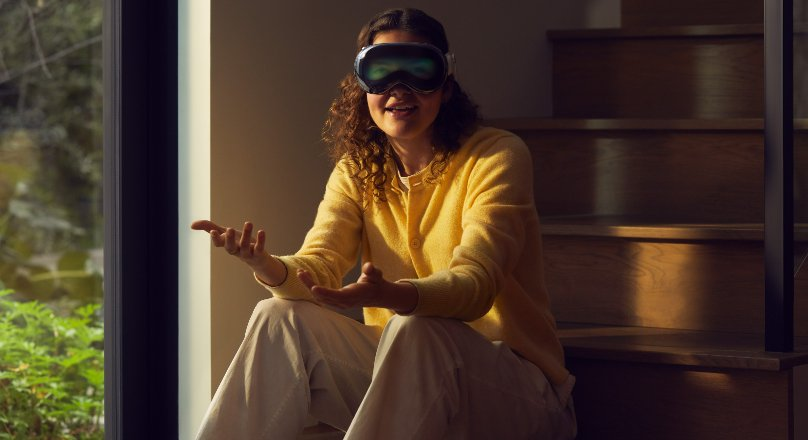
Apple introduced Apple Vision Pro, a new spatial computer that integrates digital material with the real environment. Vision Pro presents a fully three-dimensional user interface managed by the most natural and intuitive inputs available – a user's eyes, hands, and voice — and generates an unlimited canvas for programmes that scale beyond the confines of a traditional display.
Spatial computing
Spatial computing aims to facilitate and optimise actions and interactions by digitising the activities of machines, people, objects, and the settings in which they occur. Using physical actions (head and body movements, gestures, speech) as inputs for interactive digital media systems, with perceived 3D physical space as the canvas for video, audio, and haptic outputs, "spatial computing" is a term used by tech giants like Microsoft and Magic Leap to describe state of the art in immersive computing. The idea of "digital twins" is also related to this.
Vision Pro is the first product to feature visionOS, the first spatial operating system, allowing users to experience digital material as if it were physically present in their environment. Vision Pro's innovative design includes a 23-million-pixel display system spread across two screens and special Apple silicon in a novel dual-chip configuration to make everything look and feel like it's happening in real-time.
visionOS
Apple's visionOS is a new platform. Apple Vision Pro provides an unlimited spatial canvas to explore, experiment, and play, allowing you to rethink your 3D experience entirely. People can interact with your app while remaining aware of their surroundings or completely immerse themselves in your world. And your experiences can be fluid: start in a window, add 3D material, switch to a fully immersive setting, and then return.
Three-dimensional interface
visionOS's three-dimensional interface allows programmes to appear side by side at any size, freeing them from the confines of a screen. With Apple Vision Pro, customers may increase their productivity thanks to a larger workspace, their preferred applications, and cutting-edge multitasking capabilities. With wireless compatibility for the Magic Keyboard and Magic Trackpad, users can create a vast, private, and transportable 4K display with wonderfully crisp text while also bringing the amazing features of their Mac into Vision Pro.
Frameworks used
SwiftUI
Building a new visionOS app with SwiftUI or porting an existing iPadOS or iOS app over is the best approach to get your software up and running, whether making windows, volumes, or spatial experiences. New 3D features, motions, effects, and immersive scene types are now supported by SwiftUI, allowing you to create stunning and engaging apps for Vision Pro. You can create polished, reactive, and 3D-feeling user interfaces with the support of RealityKit and SwiftUI. When developing apps for visionOS, you can use SwiftUI because of how well it integrates with UIKit.
RealityKit
Apple's RealityKit incorporates animated 3D material and other visual effects into your app. RealityKit has many capabilities, including adapting to physical lighting conditions and casting shadows instantly, creating gateways to other worlds, and creating unique visual effects. The top film, visual effects, entertainment, and gaming studios all use MaterialX, an open standard for providing surface and geometry shaders, which RealityKit has adopted for creating your materials.
ARKit
ARKit can completely grasp a person's surroundings on Vision Pro, allowing your apps new ways to engage with the area around them. When your app moves to a Full Space and asks permission, you can take advantage of powerful ARKit APIs like
- Plane Estimation,
- Scene Reconstruction,
- Image Anchoring,
- World Tracking, and
- Skeletal Hand Tracking
These are powered by ARKit by default.
Sources of Article
Image source: Apple